
My experience with Termux and NodeJS on Android

The first thing I did was install Termux from the play store. Termux provides terminal emulation and a linux environment. Read that I should install updates

$ apt update && apt upgrade

Next I installed nodejs

$ apt install nodejs

Next I needed an editor to create my code files. I decided for an external editor and shared external storage. By default Termux uses app private storage. Shared external storage needs to be setup as follows

$ termux-setup-storage

This creates a $HOME/shared folder in Termux that links to Internal storage in Android file manager. I created a folder called WEB/nodeapp for my project in there. Next I needed a code editor app. For that I chose Quick Edit.

Next was to create my starter node project

$ npm init

I got the following warning message, "npm WARN npm npm does not support Node.js v13.0.0". I fixed this by upgrading npm.

$ npm install -g npm

Next was to create my server.js code and test it.

var http = require('http');

http.createServer(function (req, res) {
  res.write('Hello World!');
  res.end();
}).listen(8080);

$ npm install
$ npm start

I got an error, "npm ERR! nodeapp@1.0.0 start: `node server.js` npm ERR! Exit status 1". The error message also listed a log file to check for details but I ran the code directly to see the error.

$ node server.js

I got the following error, "Error: listen EADDRINUSE: address already in use :::8080". I change the port to 3000 and that fixed it.
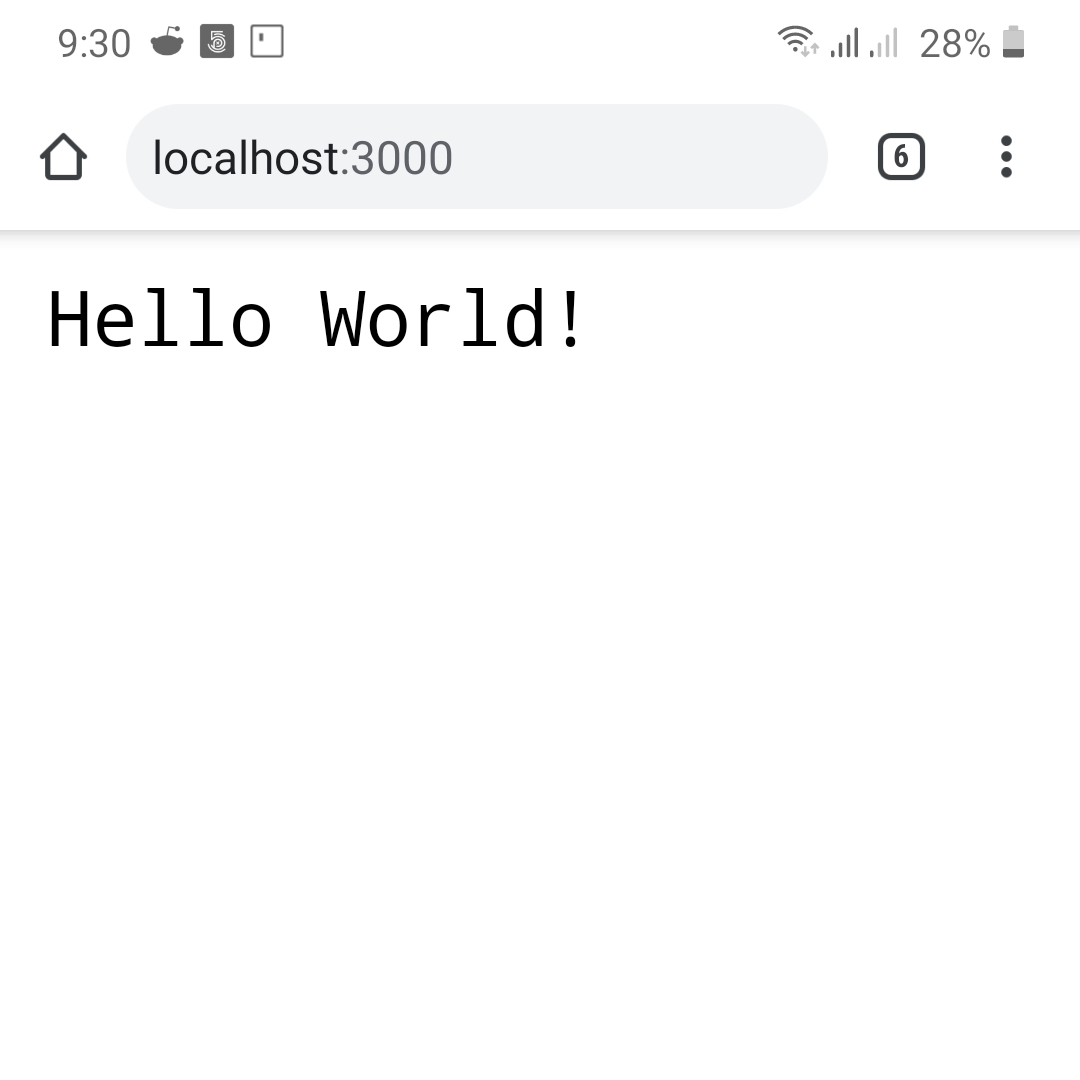
NodeJS on Android


This is some exciting stuff to me. Didn't think that so much coding could be done on Android before I switched to a mobile workflow for my blogging. There is an app that can be used to specifically run nodejs code called Dory - node.js that I will look at in future blog post. I like termux because I can setup other coding languages like C++ and Ruby. Share your experiences with us in the comments below.

Comments

Popular posts from this blog

Running php and apache on termux

This was my experience getting php and apache to run on termux apt update && apt upgrade -y apt install php-apache I was following an old blog post that used php 7 and got these errors Can't locate API module structure `php7_module' in file /data/data/com.termux/files/usr/libexec/apache2/libphp.so: undefined symbol: php7_module Cannot load /data/data/com.termux/files/usr/libexec/apache2/libphp7.so Corrected in apache config file vim $PREFIX/etc/apache2/httpd.conf LoadModule php_module /data/data/com.termux/files/usr/libexec/apache2/libphp.so Apache is running a threaded MPM, but your PHP Module is not compiled to be threadsafe.  You need to recompile PHP. Comment out mpm_worker and use mpm_prefork #LoadModule mpm_worker_module libexec/apache2/mod_mpm_worker.so LoadModule mpm_prefork_module libexec/apache2/mod_mpm_prefork.so This still does not work as apache (httpd) was failing silently. According to Chatty LoadModule php_module ...libphp.so often fails in Termux becau...

Stuck running sftp server on termux alpine for multi-user setup

The below is my journey trying to get multi-user sftp working using alpine on termux pkg update && pkg upgrade pkg install proot-distro openssh proot-distro install alpine proot-distro login alpine apk update apk upgrade apk add openssh shadow sudo apk add vim vim /etc/ssh/sshd_config Port 8022 PermitRootLogin no PasswordAuthentication yes Subsystem sftp internal-sftp Match Group sftpusers     ChrootDirectory /sftp/%u     ForceCommand internal-sftp     X11Forwarding no     AllowTcpForwarding no addgroup sftpusers adduser user1 adduser user1 sftpusers mkdir -p /sftp/user1/upload chown root:root /sftp/user1 chmod 755 /sftp/user1 chown user1:sftpusers /sftp/user1/upload How I run my server each time pkill sshd rm -f /etc/ssh/ssh_host_* ssh-keygen -A /usr/sbin/sshd -D -d -d -d From another termux session sftp -P 8022 user1@127.0.0.1 Connection reset by 127.0.0.1 port 8022 Connection closed Some troubleshooting steps mkdir -p /run/sshd chmod 75...

Recursion example with SQL

I asked my friend Chatty, can you use recursion in SQL? For example I have a table (ID, value) ordered by increasing ID. Can you guide me through using recursion to select all the rows of consecutive repeated values using and creating an SQLite database. Provide the small sample data. Is there a better way to do this? A More Modern Alternative (Window Functions) In real-world SQL, this problem is usually solved more efficiently using window functions like: LAG() ROW_NUMBER() SUM() OVER But recursion is excellent for learning traversal logic and hierarchical thinking. Recursion example using sqlite on termux DROP TABLE IF EXISTS sample; CREATE TABLE sample (     id INTEGER PRIMARY KEY,     value TEXT ); INSERT INTO sample (id, value) VALUES (1, 'A'), (2, 'A'), (3, 'A'), (4, 'B'), (5, 'B'), (6, 'C'), (7, 'A'), (8, 'A'), (9, 'D'), (10, 'D'), (11, 'D'), (12, 'D'); WITH RECURSIVE grouped AS (    ...